.webp)
.webp)
Granola has a compelling promise.
They want to help you take robust meeting notes without the awkwardness of a bot joining your calls.
Instead of a visible recording bot popping up in all your meetings, Granola uses a desktop app that transcribes the meeting in real time, allowing you to focus on the actual conversation.
After testing it on my calls and meetings for the past month or so, I found that promise to be mostly true.
On one hand, Granola absolutely nails some fundamentals: the calendar integration is fully automatic, the outputs are strong, you can “chat” with all of your meeting data, and the templates are intuitive.
But Granola has a strange relationship with sharing that meeting data.
There's no easy export function, which means copy and paste is your only option for getting notes out of the system.
The native integrations with tools like Slack and Notion feel deliberately limited. And to-dos or tasks, which are extracted almost perfectly by the chat feature, can’t easily be sent to any project management or productivity tools.
It’s almost like Granola wants to keep that info and data locked into their ecosystem rather than flowing into your actual workflow, which is a major disappointment.
These limitations landed Granola at 66 out of 100 in my evaluation across onboarding, security, collaboration, integrations, and output quality.
Now, let's take a deeper dive into where Granola shines and where it stumbles.
1. First Use & Onboarding (13/20 Points)
Meeting tools that lean heavily on AI, like Granola, need to build trust quickly. Users want to know they can rely on it to show up across all their calls, truly understand how it fits their workflow, and feel confident it will improve their meeting docs.
Granola nails some fundamentals like the automatic calendar sync as soon as you sign up, and how well it works “out of the box.” But the restrictions around work emails and weak guidance on the tool's best features create friction where there shouldn't be any.
Sign-up process (3/5)
Because Granola is a desktop app, there’s a bit of friction for you to get started. You can't just sign up and start using it in your browser. Instead, you visit the website, download a desktop app, install it, and then sign in again.
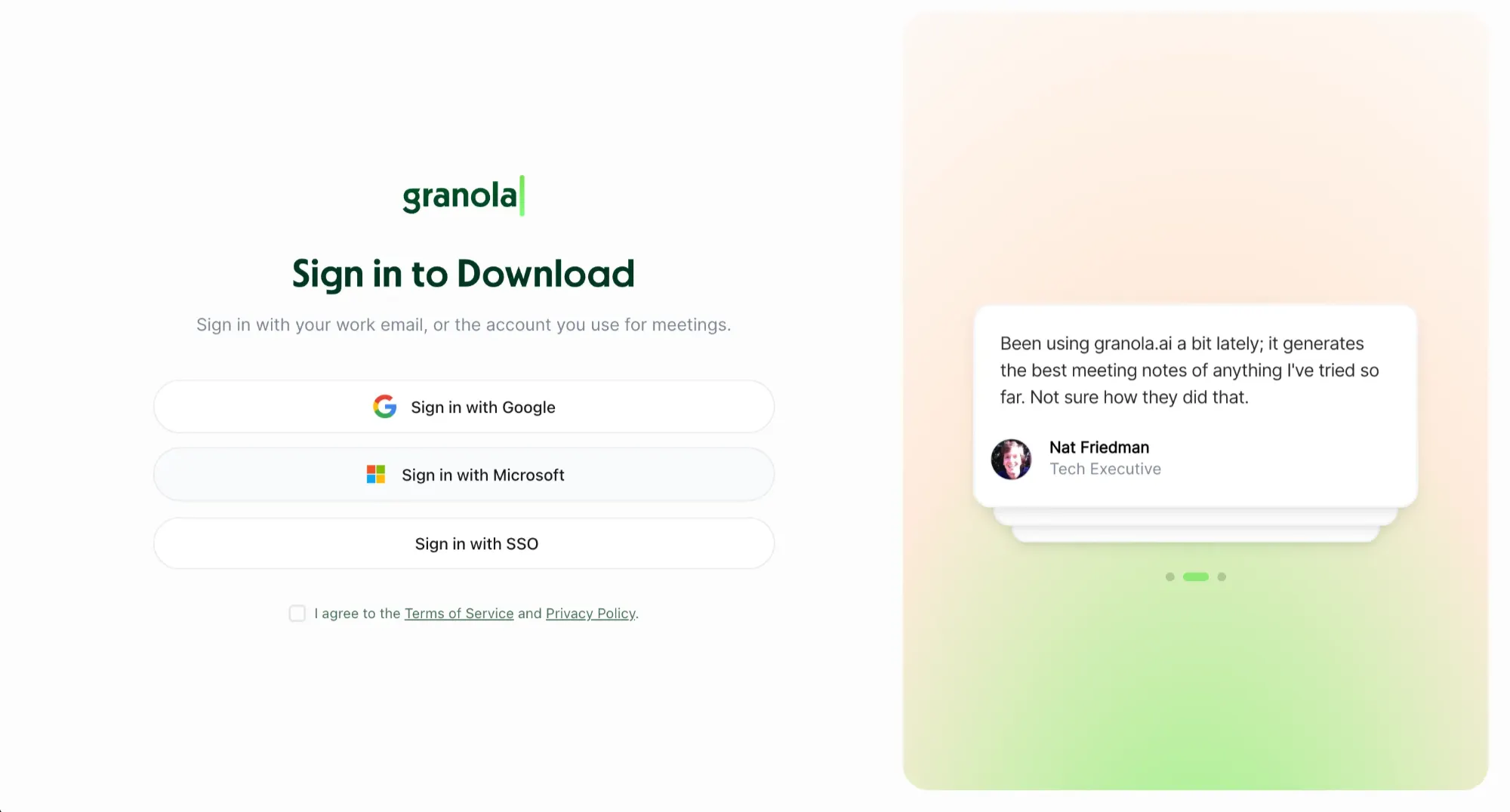
While you can view notes on the web afterward, all the actual workspace features live in the desktop app only, which some people might not like.
But the bigger point of friction I experienced was the work email requirement. You just can’t sign up with a Gmail or other free email provider. Even the free tier requires a work email address, which immediately locks out freelancers, consultants, and small business owners who would benefit the most from a lightweight meeting tool. For a product competing in a crowded market, this feels like unnecessary gatekeeping, which is why it lost points in this section.
Onboarding guidance (3/5)
Once you're into the actual desktop app, the real onboarding process can start. You are greeted by a few slides that walk you through how the tool works and what teams can do with it. The standout piece is a short video from one of the founders that covers all the key features and use cases.
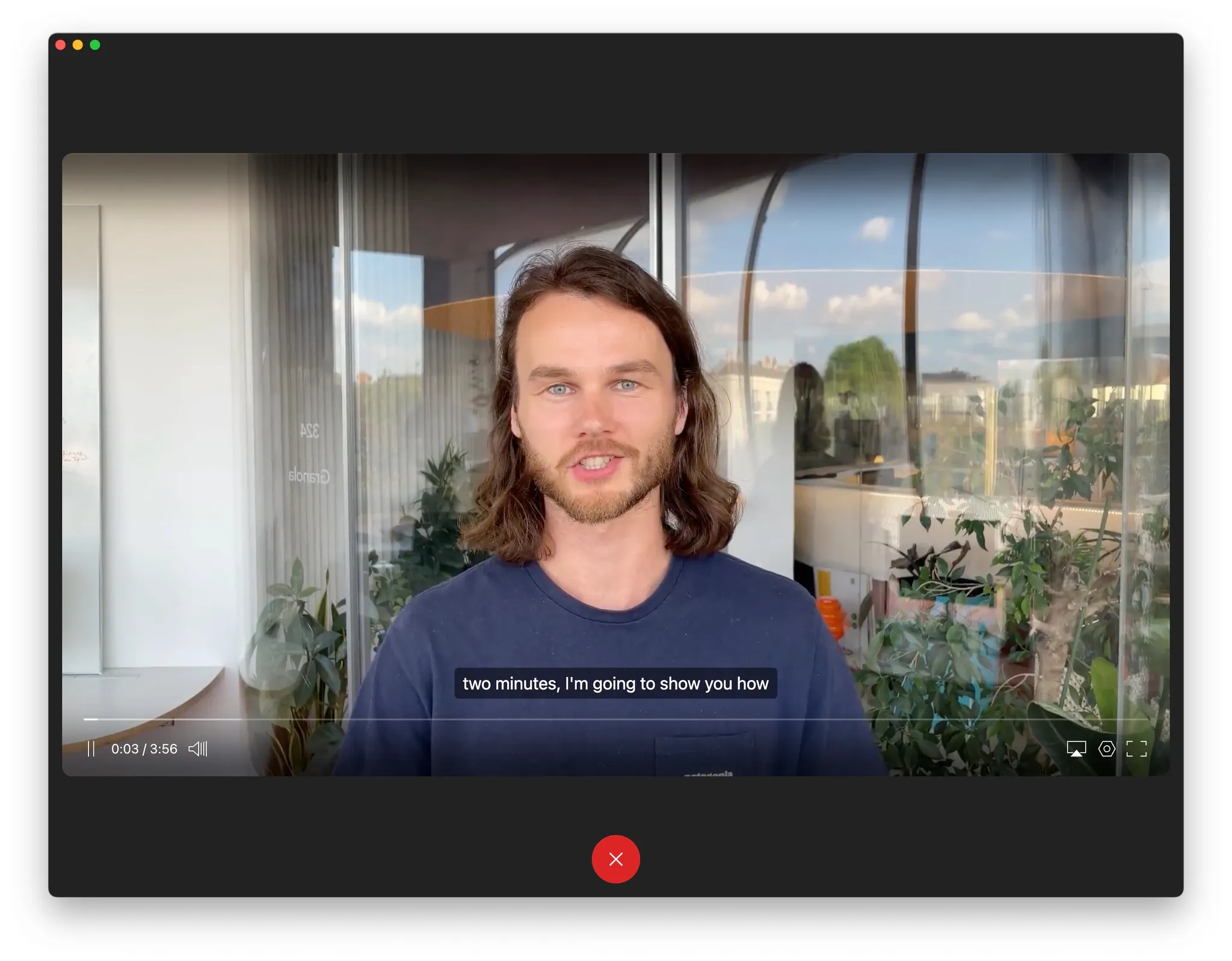
After that strong start, the guidance kinda just stops, and you’re left to figure out the app on your own. There's no onboarding checklist, no "do this next" prompts, and worst of all, no push toward the Recipes, which are one of Granola's best features.
You're left waiting for your next meeting to happen so you can see the real value. This is better than a few months ago, when the founder video and some emails were all you got, but Granola still isn't helping users discover what makes it special or how to become a power user.
Time to aha moment (2/5)
Meeting recording tools as a whole have an annoying but predictable problem. You, as a new user, can't appreciate the value until you've had an actual meeting or five. So even though you might have joined today, your next important meeting isn’t until tomorrow afternoon.
With Granola, it took me about a week of actual calls to understand the power of the platform and how to get it to work. That's a problem with their two-week reverse trial as well. A chunk of users likely won't hit that “THIS IS COOL” moment before time runs out.
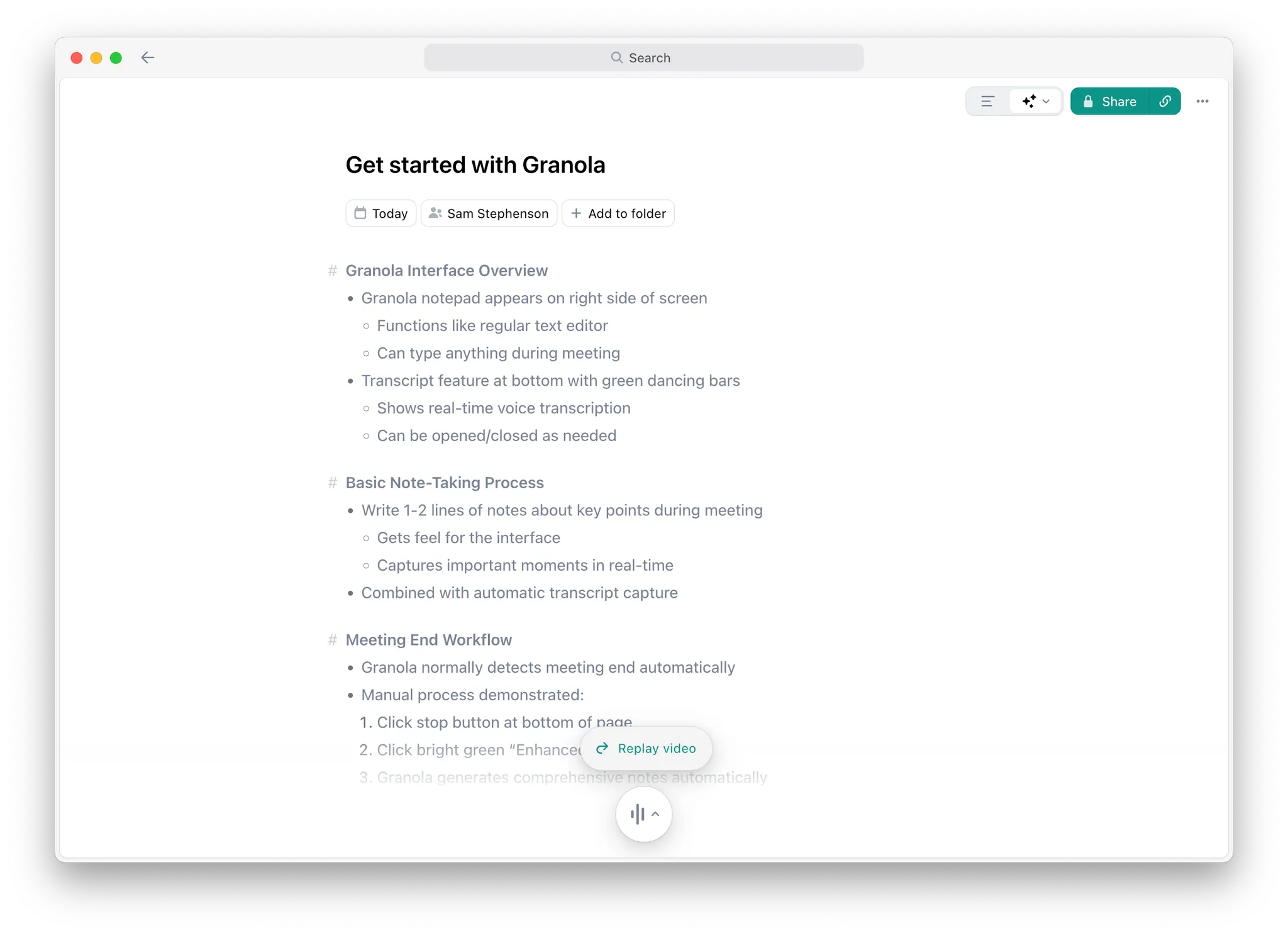
There is a small aha moment when you watch the onboarding video and see notes generate in real time. But this feels accidental, not intentional. It's not enough to keep you interested until the real value is hard to ignore. This is why I scored this section so low, even though the product itself is useful once you get past those first few days.
Works out of the box (5/5)
This is where Granola absolutely nails it, and they get a 5/5 in this section. After you sign in, the app immediately syncs with your work calendar, and you are off to the races. All your upcoming meetings are added to the app in a way that doesn’t feel overwhelming or clunky.
You can join existing teams or workspaces right in the onboarding flow, so you don't need to hunt through settings to find your colleagues.
The only thing you have to do is grant microphone access. You could sign up ten minutes before a call and record it perfectly without any other setup steps. It’s that easy to get started with Granola.
2. Security & Control (14/20)
Granola makes some smart privacy decisions. It doesn't save any audio or video files. The transcription happens in real time, so there’s nothing to store. Instead of full transcripts, most of the outputs are summaries, and all those notes are kept private by default. These are the right calls for a tool handling sensitive meeting content.
But the smart architecture gets undermined by some other default settings. Recording disclosure is turned off by default, which means other participants have no idea they're being recorded unless you manually enable it.
But worst of all, your data is used to train their AI models, unless you dig into settings and opt out. These choices shift responsibility onto users who may not even know these toggles or settings exist. In fact, it took me a few weeks to figure out the settings and make them more privacy-friendly, which is always fun.
Disclosure tools (3/5)
Granola's botless design creates a tricky disclosure problem. Since it uses a desktop app instead of sending a visible bot into calls, other participants have no automatic indication that they're being recorded. For some users, this is an innovative feature. For others in more regulated industries, it's a huge liability.
That said, this is not only a Granola problem. All botless apps need to have better disclosure features baked in.
That said, this is not only a Granola problem. All botless apps need to have better disclosure features baked in.
To their credit, Granola provides two features to help with disclosures. Automatic Consent Messaging sends a chat message to all attendees as soon as you join the meeting, while Heads Up integrates with Google Calendar to make attendees click through a disclosure portal before joining.
But both of these features are off by default, which seems backwards. It shifts responsibility to individual users who may not even know these toggles exist. And the disclosure tools also only work with Google Calendar and Zoom, leaving other platforms in a gray area that could be pretty problematic.
Access & sharing controls (4/5)
Granola takes a privacy-first approach that feels refreshing in a world where everything is shared a little too often. All your notes are private by default. Both individual users and admins can control sharing, so there's flexibility across different organizational needs too.
The sharing mechanics work like most SaaS tools you’re already using. You can invite someone to view a note, enable org-wide visibility for certain notes, or push content to integrations like Zapier or Slack.
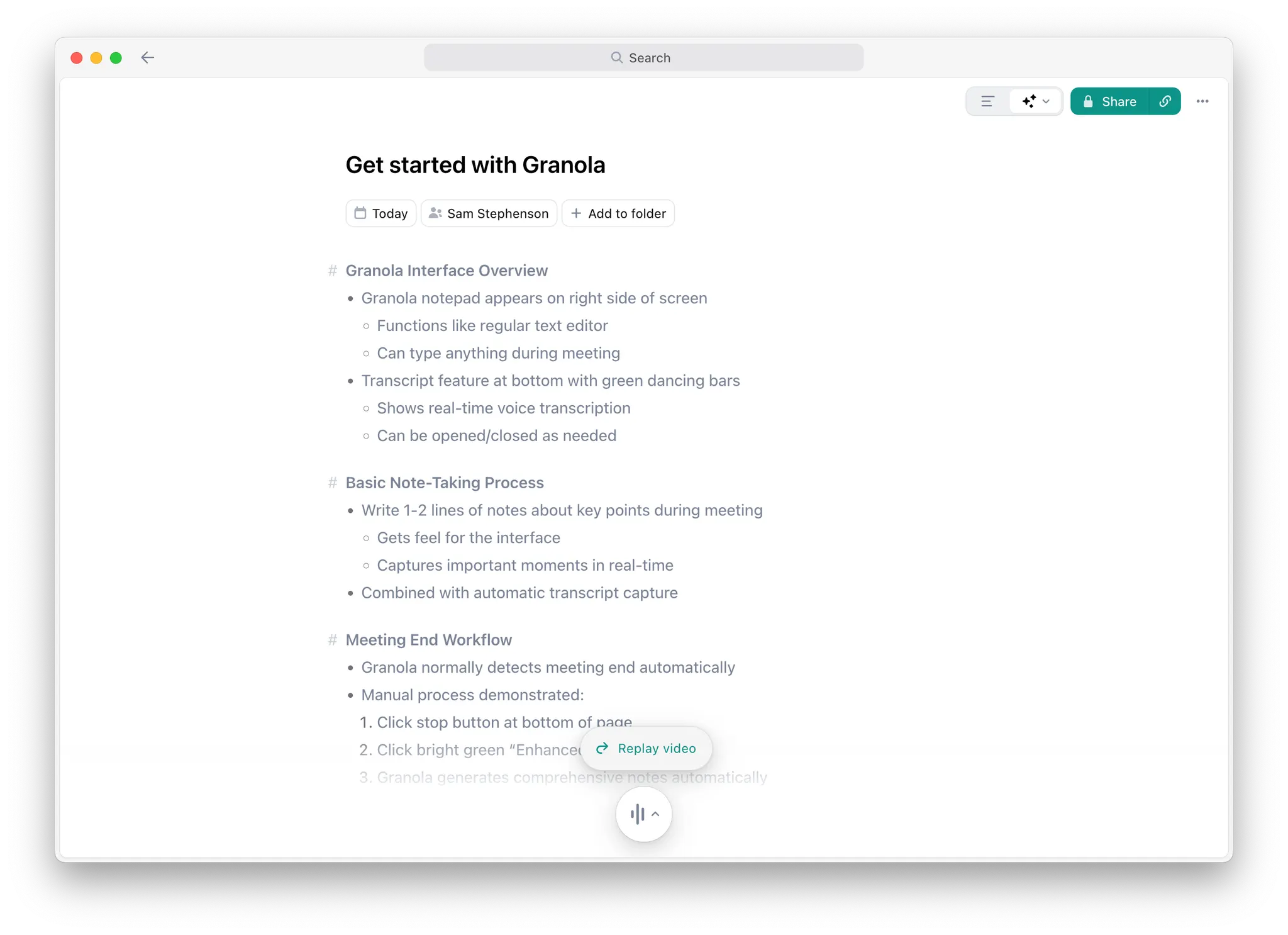
One thing that sets them apart from some other meeting tools is that you’re really only sharing the notes or summary from a call; no transcript or recording is being sent to anyone else. So you have direct control over what gets shared, or not.
And best of all, because the note exists as a live webpage, you can remove or revoke any of the permissions with a few clicks.
Data training policy (2/5)
Let’s be honest here: most AI tools use your data to train their models. The question is whether they're honest about it and allow you to opt out easily.
Granola is at least transparent. They use your meeting data to improve their own models, but don't share it with third-party AI providers like OpenAI or Claude.
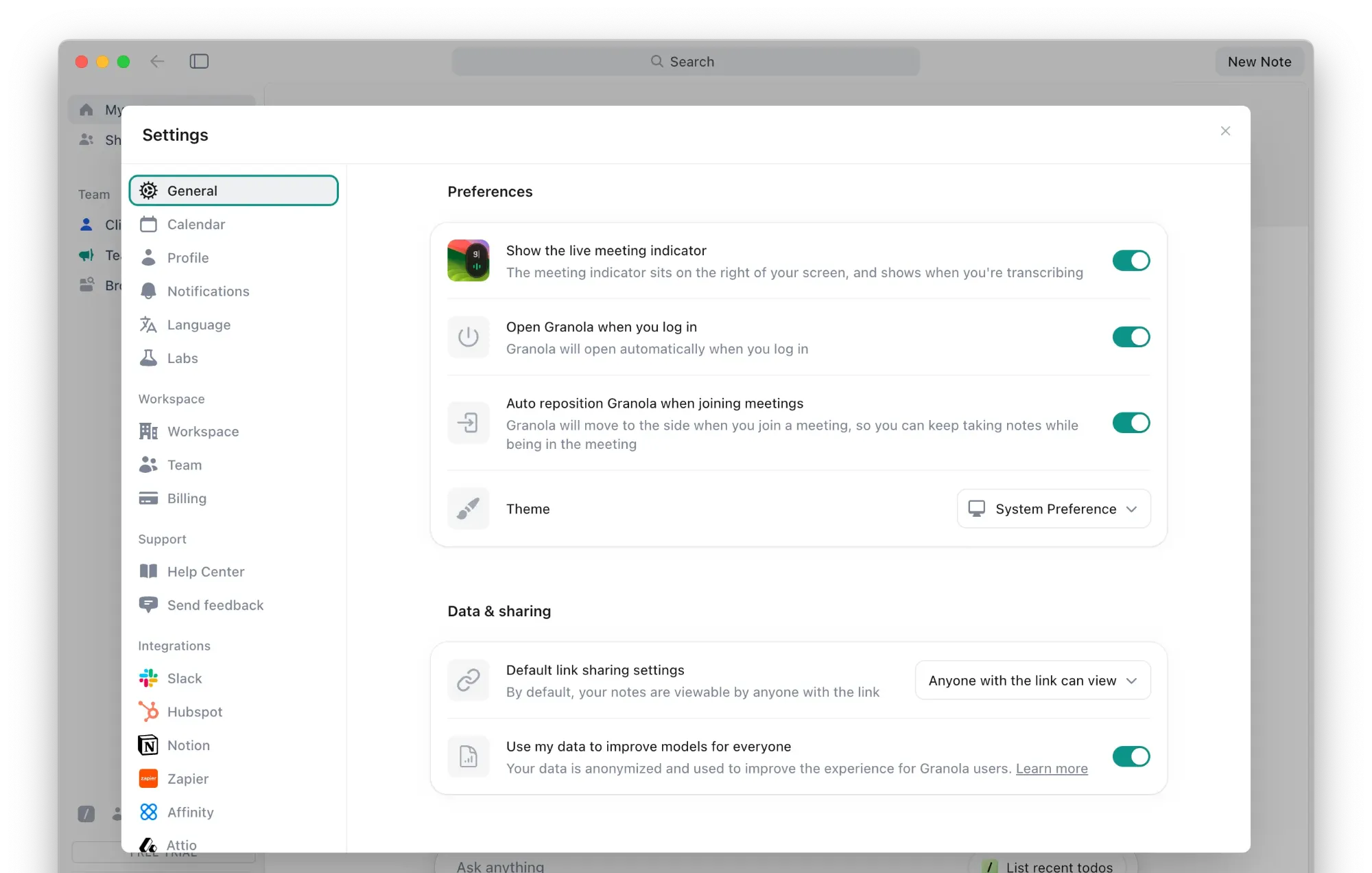
But here's the problem: data sharing is turned on by default. And they don’t ask you to confirm you want to share your data during onboarding, or really any other time. It just feels a little sneaky, and most people are not going to know they need to turn it off.
Anything that uses your data needs to be an opt-in, not an opt-out. If you want to help improve the product, you should make that choice consciously. The buried opt-out feels like they're hoping you won't notice. And a lot of people won’t.
Data retention control: 5/5
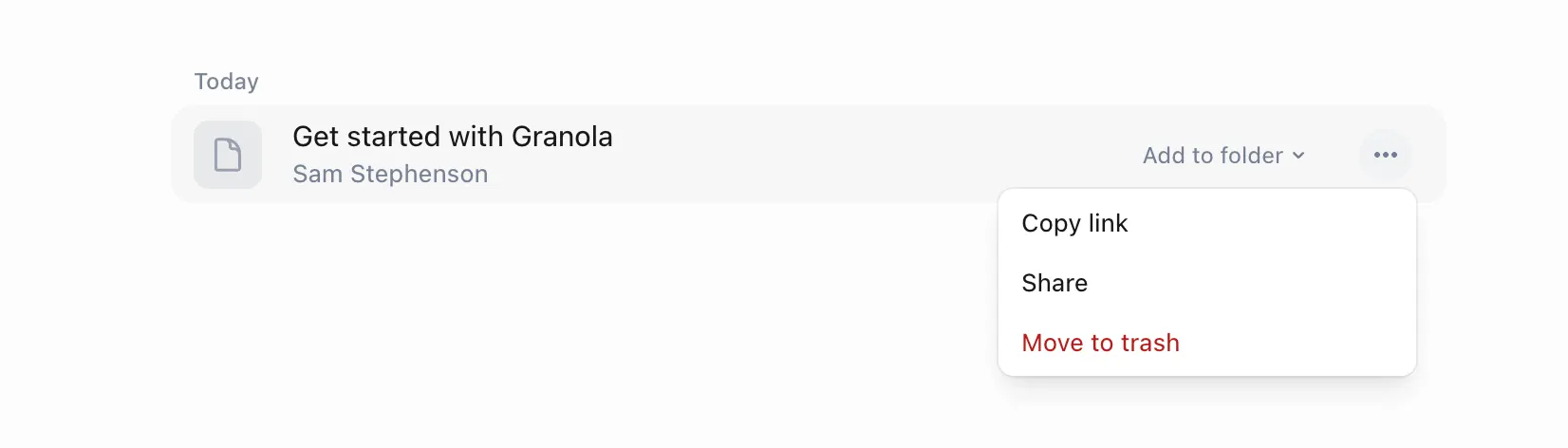
Deleting old notes is as straightforward as creating them. Just click “Move to trash” and you are done. Those notes will sit there for 30 days before being fully deleted, if you want to bring them back to your workspace. Now, if you want to get rid of literally everything, you can request full account deletion without jumping through too many hoops.
The real security win, and why they got 5/5 in this section, is that Granola doesn't store audio and video files. Like at all.
Instead of archiving your actual meetings, Granola transcribes everything to text in real-time and then discards the source material. This means less content to manage, smaller privacy risks, and you don't have to worry about video footage sitting on servers somewhere. It's a design choice that prioritizes security without sacrificing functionality, and I’m a big fan of the approach.
3. Collaboration & Workflows (13/20)
Even the best meeting tools need to fit into your actual workflow, not exist as standalone archives. You need to be able to easily collaborate with teammates before calls, share notes across the board after, and turn real-time discussions into tasks or action items.
Granola handles some of this well. You can chat with all your past meetings to pull relevant context, and the cross-meeting search is genuinely powerful when you're trying to remember what you discussed three weeks ago.
But like I mentioned in the introduction, Granola adds a lot of friction when it comes to collaboration. To share a note with a teammate or client, you have to manually adjust the permissions unless it’s in a shared folder.
And creating new tasks is a manual process as well, which should be fully automated for a business tool like Granola. This is baffling for a tool that clearly has the AI capability to identify tasks, but hasn't made it easy for you to act on them.
Pre-meeting collaboration (4/5)
When you add a meeting to a shared folder, your team can drop in comments or agenda items before the call. But the meeting needs to be in the right workspace for this to work, and as you probably know, meetings get moved and rescheduled all the time. The whole system kinda breaks down if this happens, which I saw a few times.
This approach works best for recurring events like team meetings or one-on-ones that follow a consistent pattern and stay put.
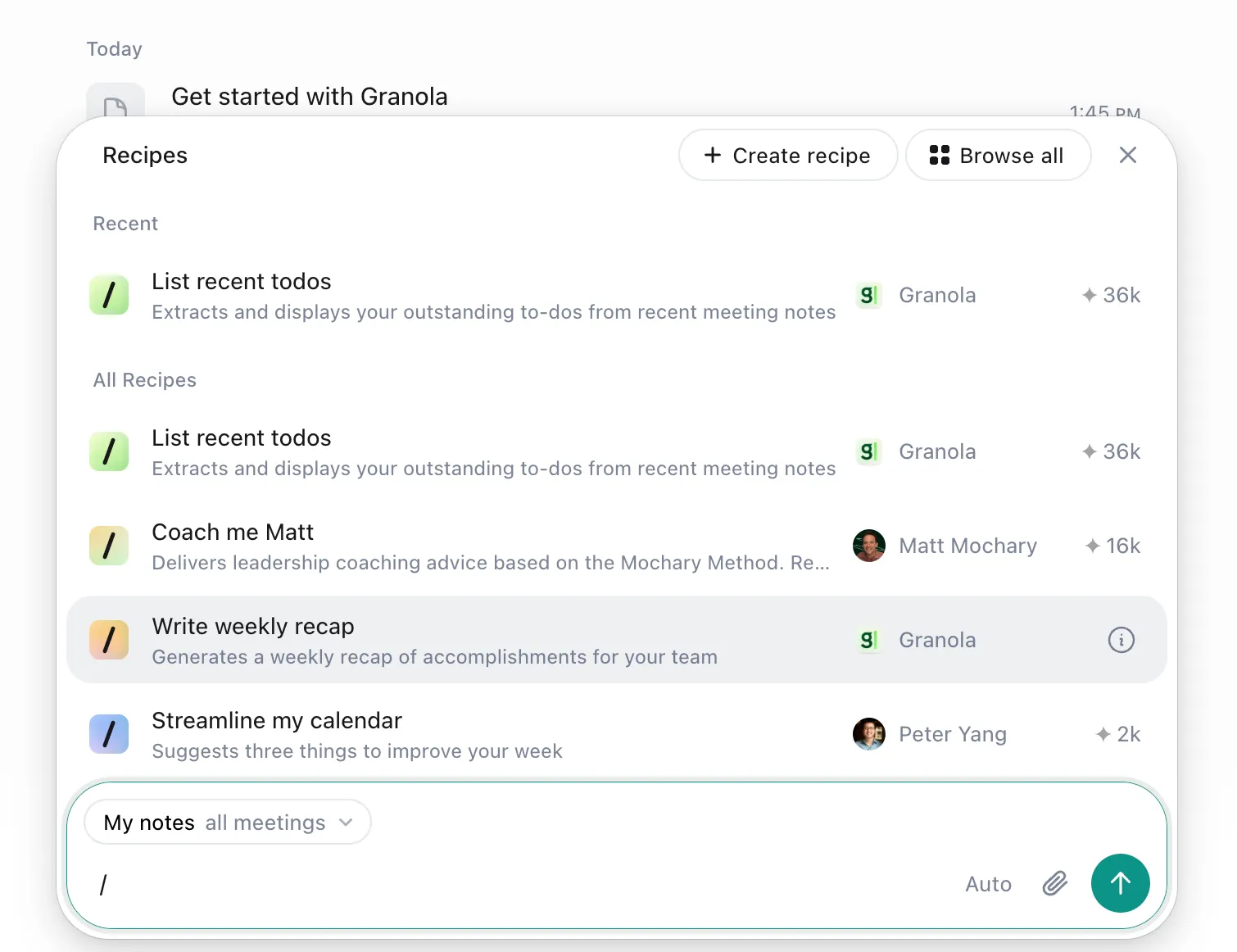
The real win here is the ability to chat with past meetings to grab context from previous calls. You can use past meeting notes to suggest topics or follow-ups for upcoming meetings, which is genuinely useful and sets Granola apart.
Post-meeting distribution (3/5)
If your meeting is in the right folder with proper workspace settings, then sharing can happen automatically.
If not, you're clicking the Share button at the top of each note a lot. Sharing a note with email or with integration partners requires even more clicks, which creates annoying overhead when you're running dozens of meetings.
That said, the deliberate approach does prevent you from accidentally spamming your team with every single call summary. The philosophy seems to be making sharing intentional rather than automatic, which I can appreciate.
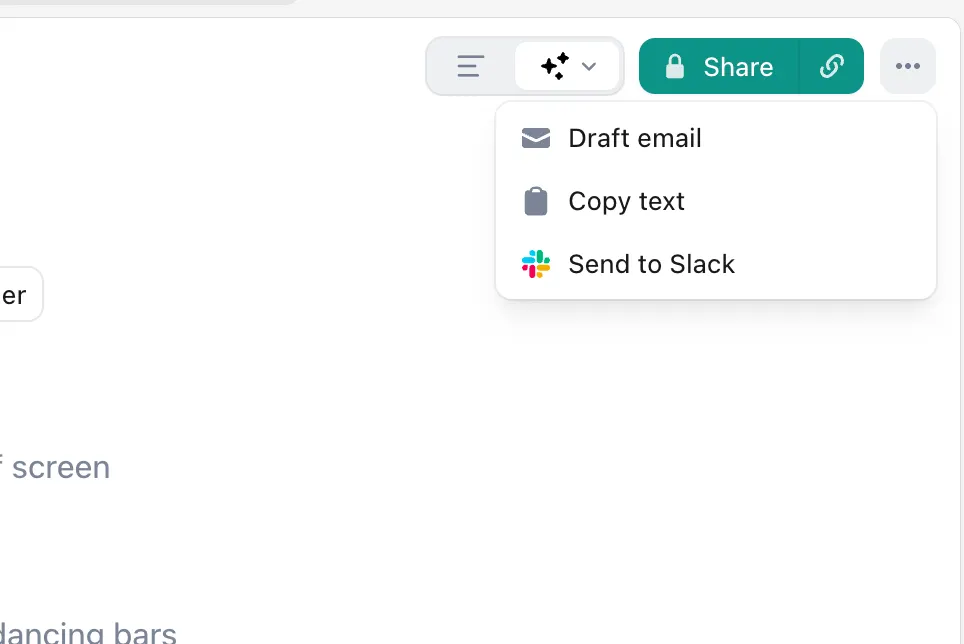
One complaint that I had was that Granola can’t detect meeting types like team check-ins or town halls, and send the notes to the right teams automatically. You have to do all the categorization manually, or hope it lands in the right folder.
New task workflows (1/5)
Out of the box, there are no interactive to-dos, tasks, or action items in your notes. For a tool aimed directly at business users, this feels like a major miss.
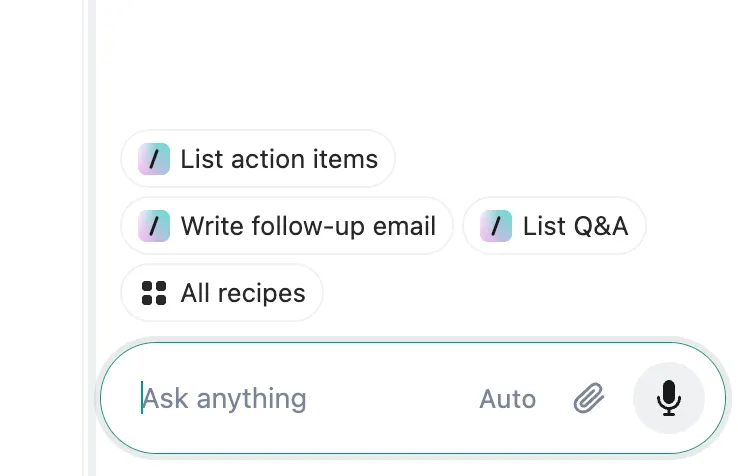
Their AI can clearly do this, which makes it even more confusing. When you chat with a meeting and ask for tasks or action items, it extracts them perfectly. But they show up as plain text snippets, not interactive elements. And to turn them into smart objects you can check off or assign to a teammate, you need to run automations or build a custom recipe.
Other tools in this space automatically identify, format, and assign action items once the meetings conclude. Granola has all the underlying technology to do this, I have seen it work flawlessly. But because they seem to want to keep you on the Granola app, a core feature is instead a major friction point.
Cross-meeting context (5/5)
Grabbing context from your meetings is where Granola shines. The chat feature lets you search across all your meetings at once or drill into individual ones. If you need to dive a bit deeper, you can ask it to examine full transcripts instead of just the extracted notes.
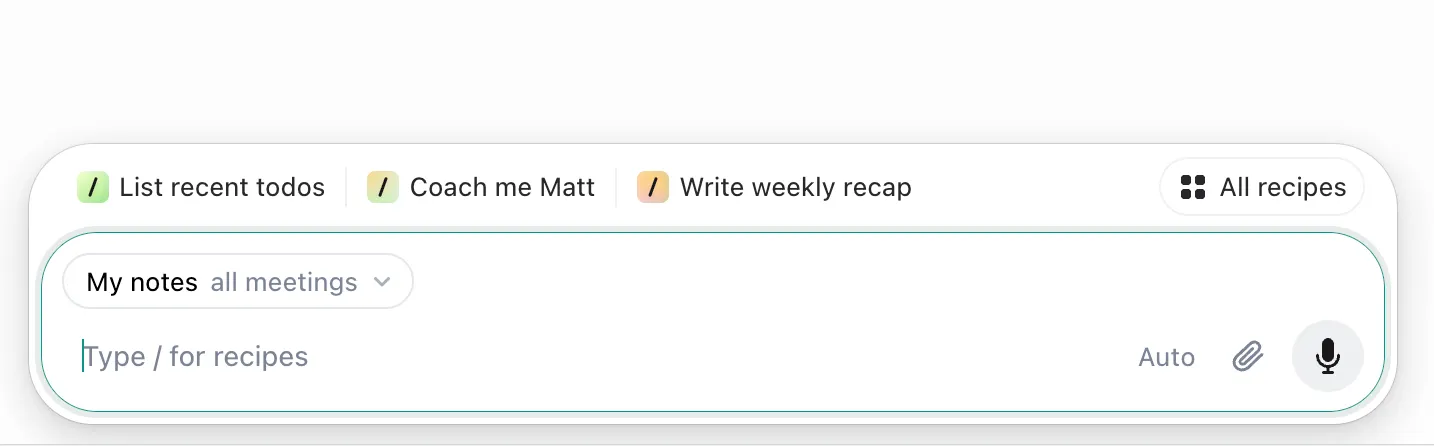
It's like having ChatGPT wired directly into your meeting archive, tuned to extract the right insights without drowning you in data.
4. Integrations & Apps (10/20)
Meeting notes trapped in a walled garden are just expensive journal entries. The real value comes from pushing content and context into the places where work happens every day.
Granola has built some of these bridges. The calendar integration is genuinely excellent and works without any configuration. But there are some weird gaps everywhere else. Native integrations with tools like Slack and Notion feel deliberately limited, and those are where most of my work happens. There's no export function for notes or transcripts at all, which means copy and paste is your only option for getting data out. And even though they have a Zapier integration, it feels like you're building workflows for features that just should exist.
Calendar integration 5/5
Calendar integration is Granola's secret weapon, and it's so seamless you barely notice it working. Simply log in with your Google or Microsoft work account, and calendar sync happens instantly.
The moment you open the app, all your upcoming meetings are already there. New meetings appear automatically. When a meeting starts, Granola pops up with a reminder to record it. This is the kind of "it just works" experience that I love to see.
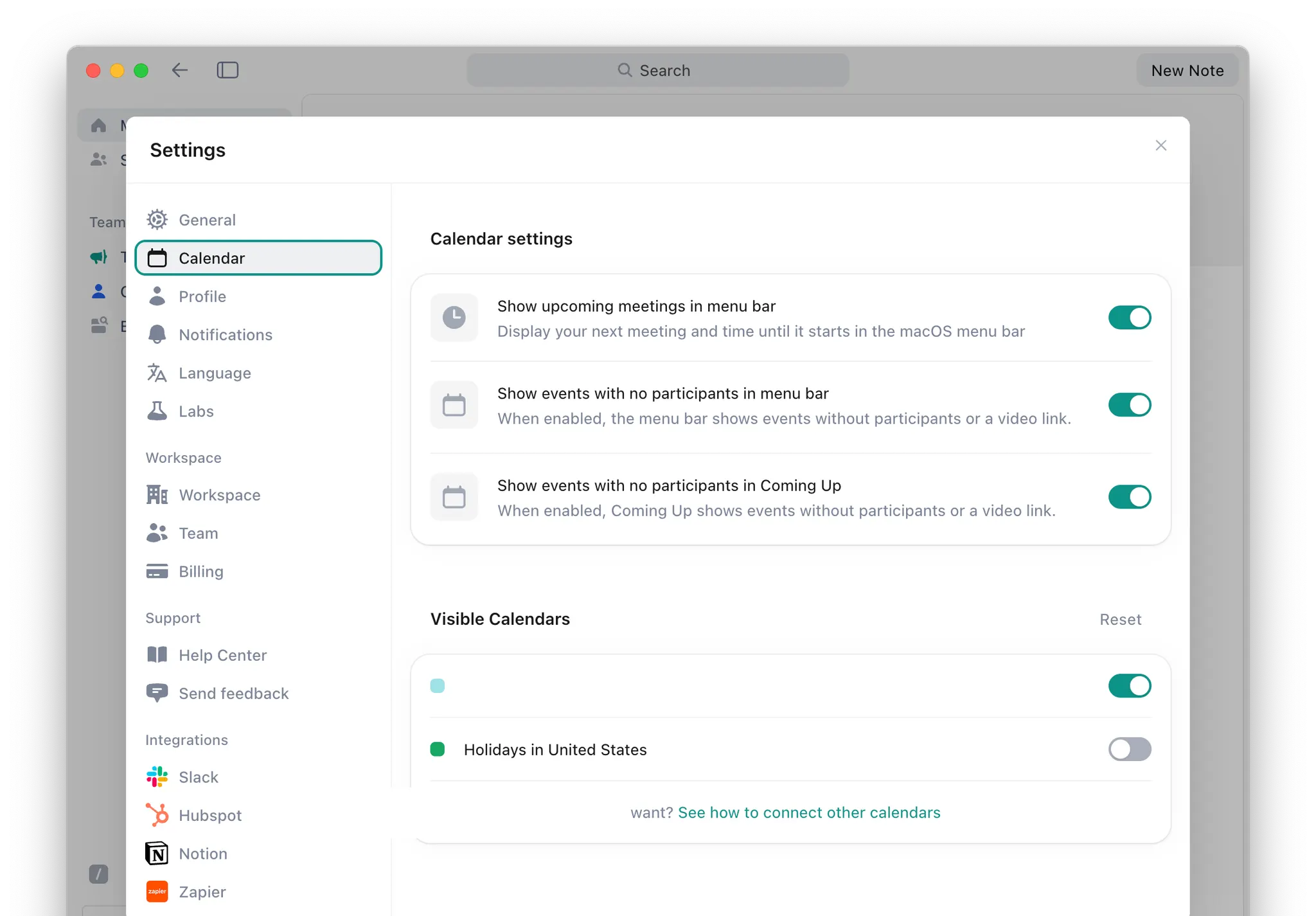
The only limitation is that you can't integrate personal calendar accounts since everything must be work-related. This creates a blind spot if you blur the lines between personal and professional calendars. But for business users with a clear work/life balance, unlike myself, the integration is flawless.
Where work happens (2/5)
At the time of publication, Granola integrates with Notion, HubSpot, Asana, Slack, and a few others. But in my experience, these integrations feel deliberately limited.
The Slack integration is a good example of the problem. Every note requires you to manually share the note. No automatic posting based on meeting type, and no smart features to share it with the participants. You can set up automatic sharing from team folders, but there's no conditional logic or nuanced control over what goes where.
HubSpot is the same story. You have to manually attach notes to contacts when this should happen automatically based on who was in the meeting. If I'm still doing manual work, the integration isn't integrating anything.
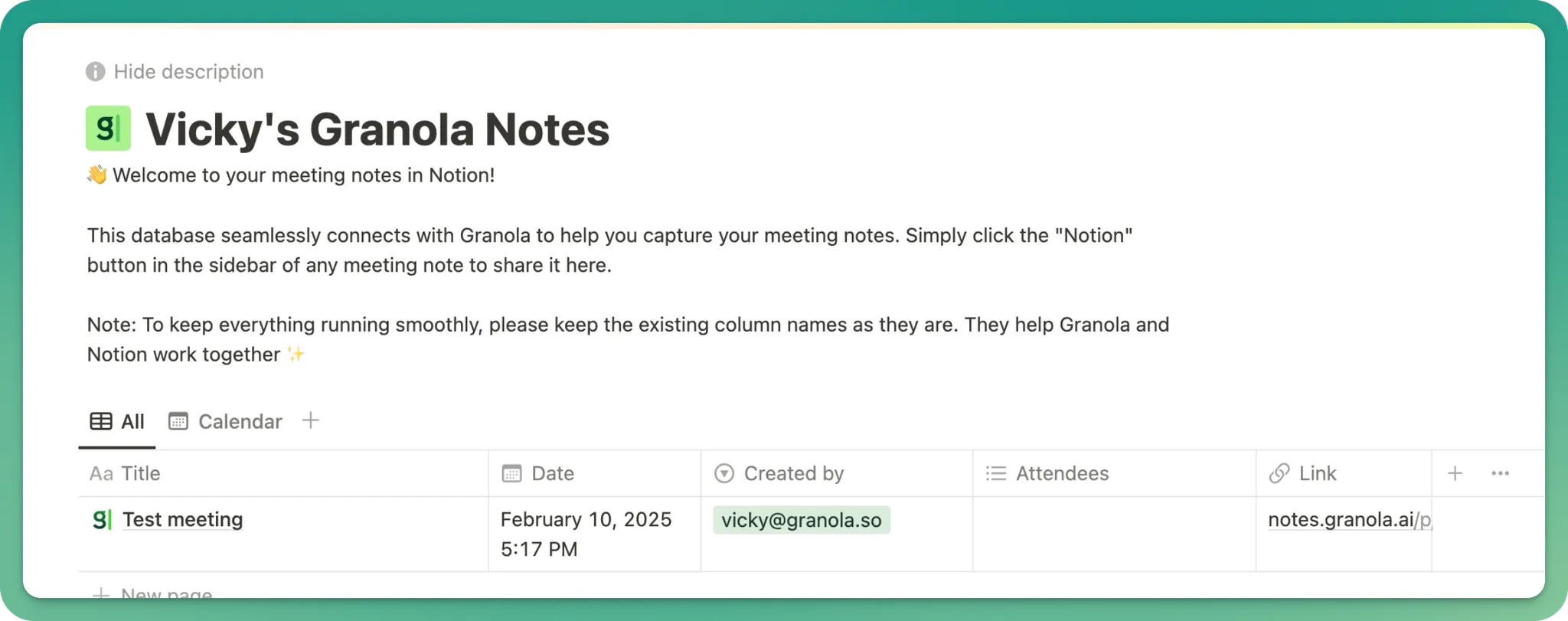
And the Notion integration is especially frustrating. If you share a note, the link to that note lands in a Granola-controlled Notion database. The real version stays in Granola, so you can't use it in your Notion automations or treat it like an actual Notion document. It's a one-way sync that keeps you tethered to Granola.
It feels like Granola has built just enough connectivity to claim the feature exists without actually making your data portable, which is why they scored so low in this section.
Export formats (0/5)
There is no export function. This isn't me being harsh. Granola literally does not let you export your meeting notes or transcripts in any format.
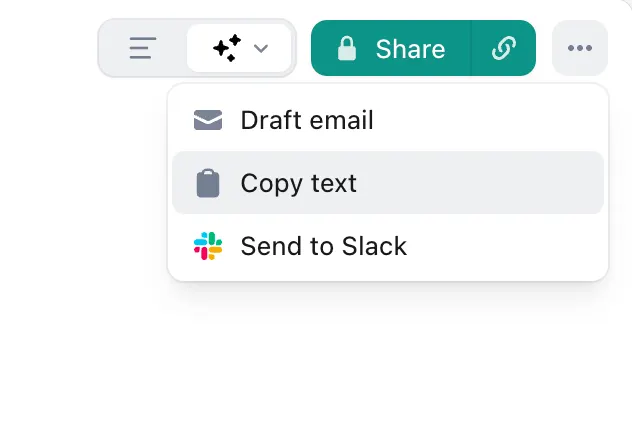
Want to get your notes or transcripts out of Granola? Copy and paste it into a text editor. That's your only option so far. No PDF, no Markdown, no DOCX, no TXT, no JSON for developers.
For a business tool handling valuable meeting information, this is confusing to me. What happens when you need to cancel your subscription? What if you want to use the transcript or notes in a different system? You're stuck manually copying and pasting, or building custom automations through Zapier.
This isn't just inconvenient; it's a big red flag in my book. Granola has your meeting data and wants to keep it for themselves.
No-code support (3/5)
Granola's Zapier integration saves this part of the review from being a complete disaster. The native Zapier support opens up hundreds of potential workflows and connections that would otherwise be impossible.
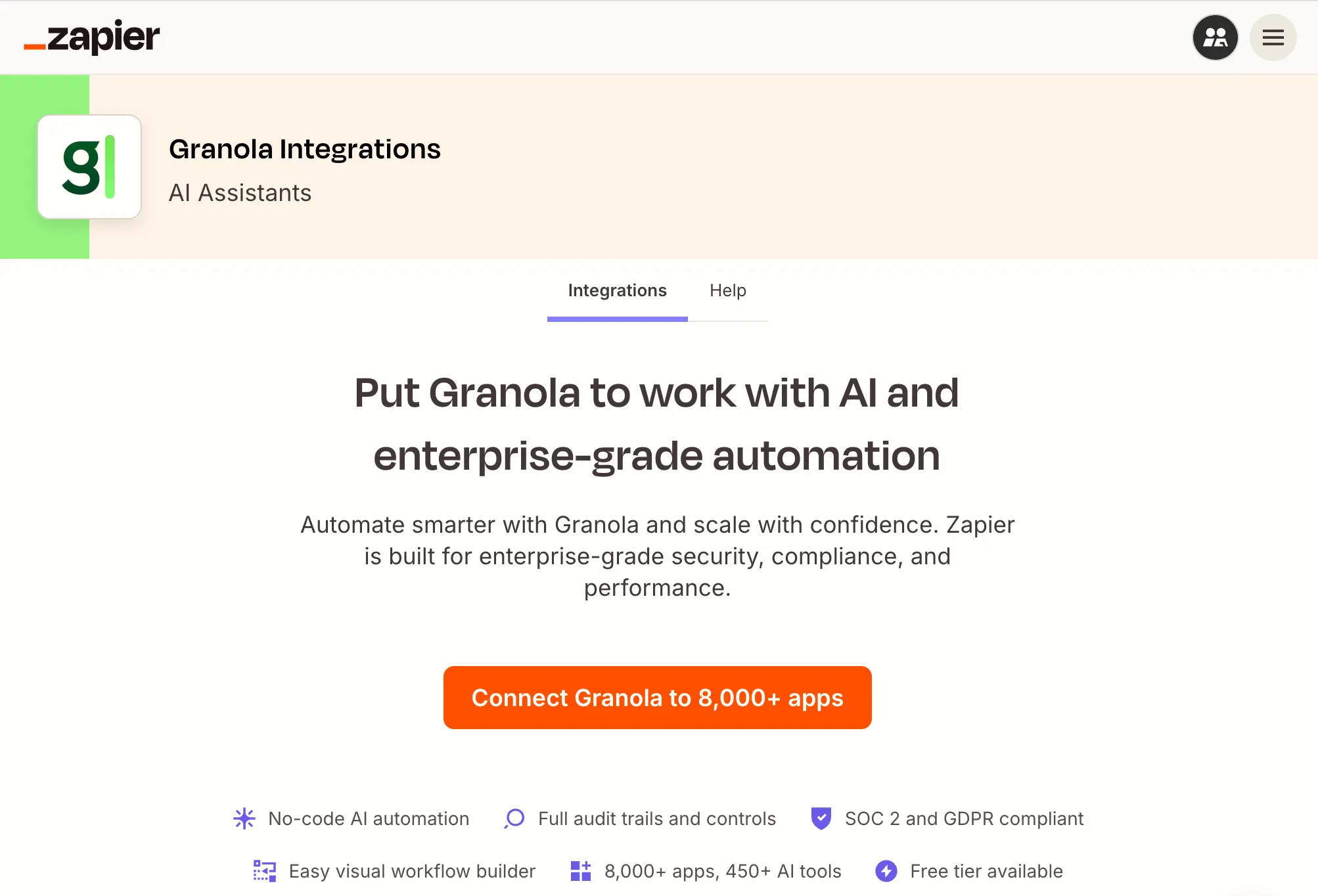
But the triggers and actions are surprisingly basic compared to other meeting tools. You have to manually share a note with Zapier to trigger most workflows, or rely on folder-based automation that gets messy at scale.
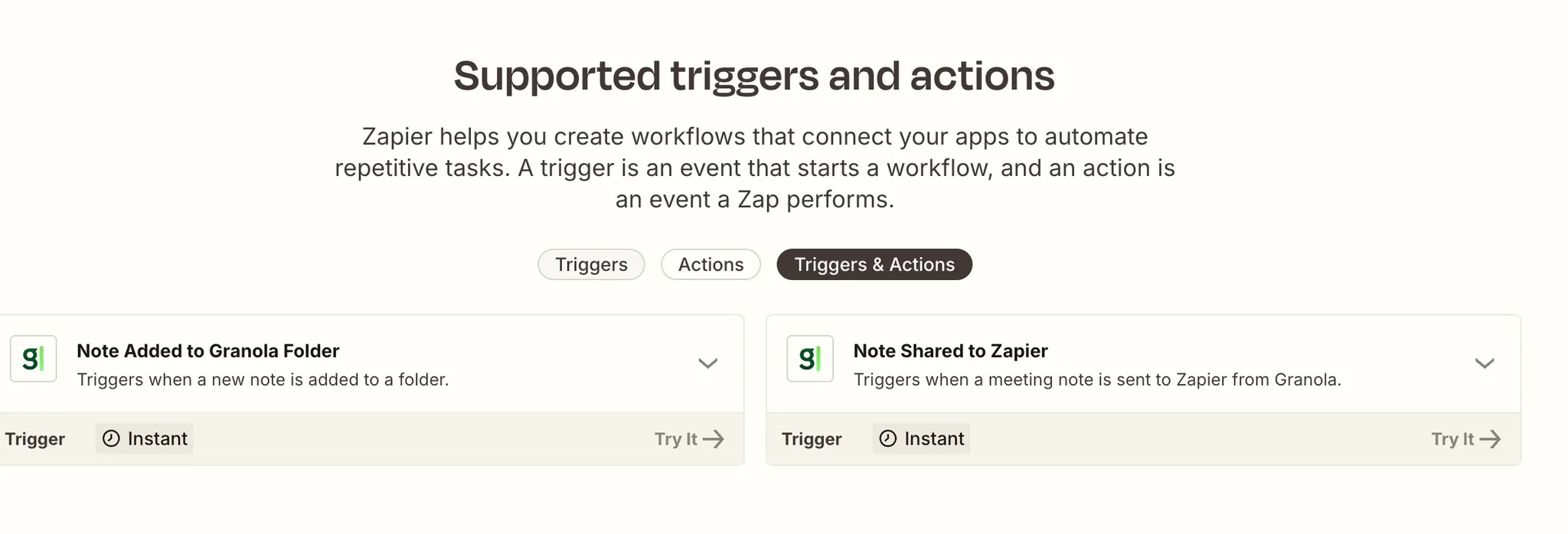
What's telling is the flows I have seen people building with Granola and Zapier. Things like Zaps that send summaries to the right Slack channels or create tasks in project management tools. As we have covered in previous sections, these are fundamental features that should work out of the box in Granola. Instead, people have to construct them with Zaps because they won't do it natively in-app.
5. Templates & Outputs (16/20)
Meeting tools are judged exclusively by their output. Perfect integrations and features don't matter if the notes are just transcript dumps or AI gibberish. That quality bar really determines whether you'll trust Granola with important client calls or team meetings.
I've been testing Granola across all kinds of meetings for the past month, and the outputs are consistently great. And the template system is one of the best features out of the box. But like everything else with Granola, there's manual friction that gets in the way of an otherwise good experience.
Output quality (4/5)
Over the past month, the outputs have been strong and complete but not overwhelming. I like how simple and stripped down the meeting notes are when there's no agenda to follow, which has been most of my meetings. Granola keeps everything in Markdown and focuses on what actually happened rather than trying to cover every single line like a transcript would.
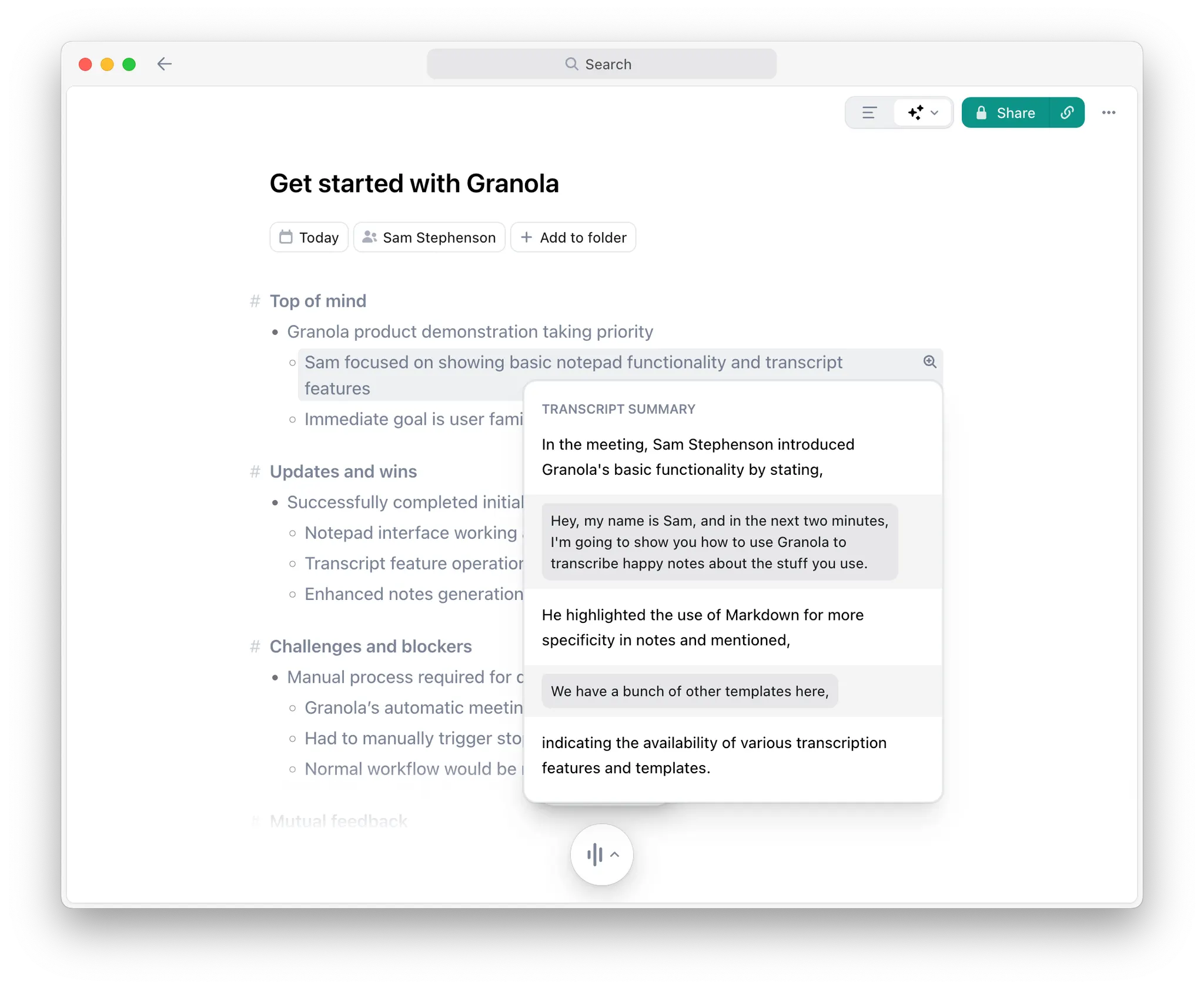
Some people might not love the simplicity, but if you need more detail, just click the magnifying glass to see exactly where something was mentioned in the transcript. The templates for recurring meetings like one-on-ones and team meetings make this even better by giving the notes structure that a meandering meeting might lack on its own.
The main issues are that action items aren't created automatically, which turns them into a separate manual step. And there's no way to ignore small talk, so random cross-talk makes it into the notes sometimes. That said, these are fixable problems and shouldn’t push people away from Granola.
Deliverable readiness (3/5)
As soon as a call ends, the output is ready for your eyes. But most of the time, it's not really ready to share with clients or team members. Unless you apply a template, it’s just a summary of everything that you talked about in the meeting.
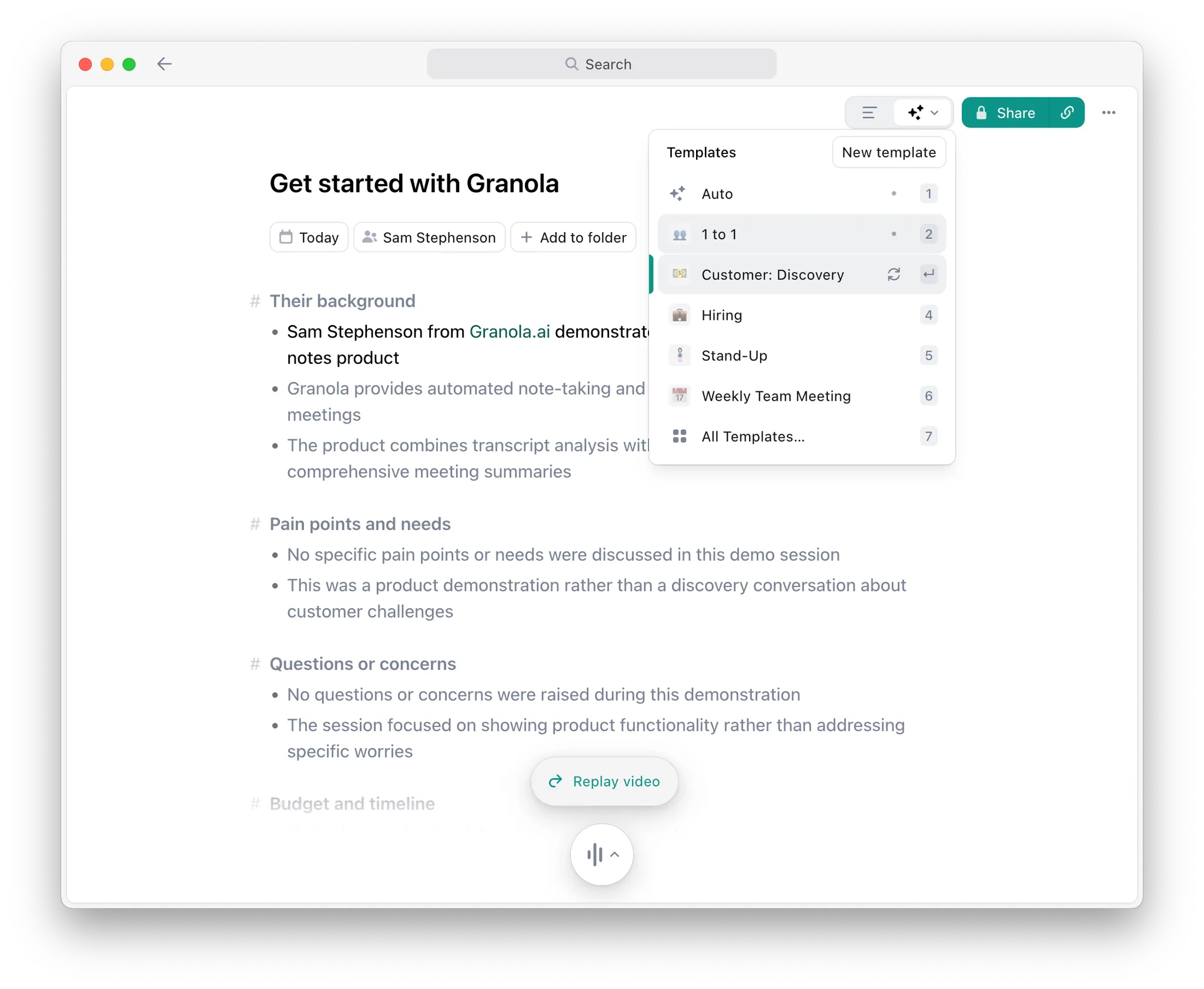
With a few clicks, you can apply one of Granola's templates or one you've custom-built for your workspace. After a few seconds, the notes regenerate and transform based on the template. It's a well-thought-out feature when it works.
But like so many things with Granola, it's a manual step that could be avoided completely. Yes, it's only a few clicks to transform notes into the correct format. But for recurring meetings or meetings that match certain keywords, this should happen automatically. That just seems like a no-brainer.
Pre-built templates (4/5)
Most common meeting types are covered by the generic Granola templates. One-on-ones, standups, client calls, and the usual suspects are all there. When you click into the template library, there are even more to choose from, including any custom ones from your team or workspace.
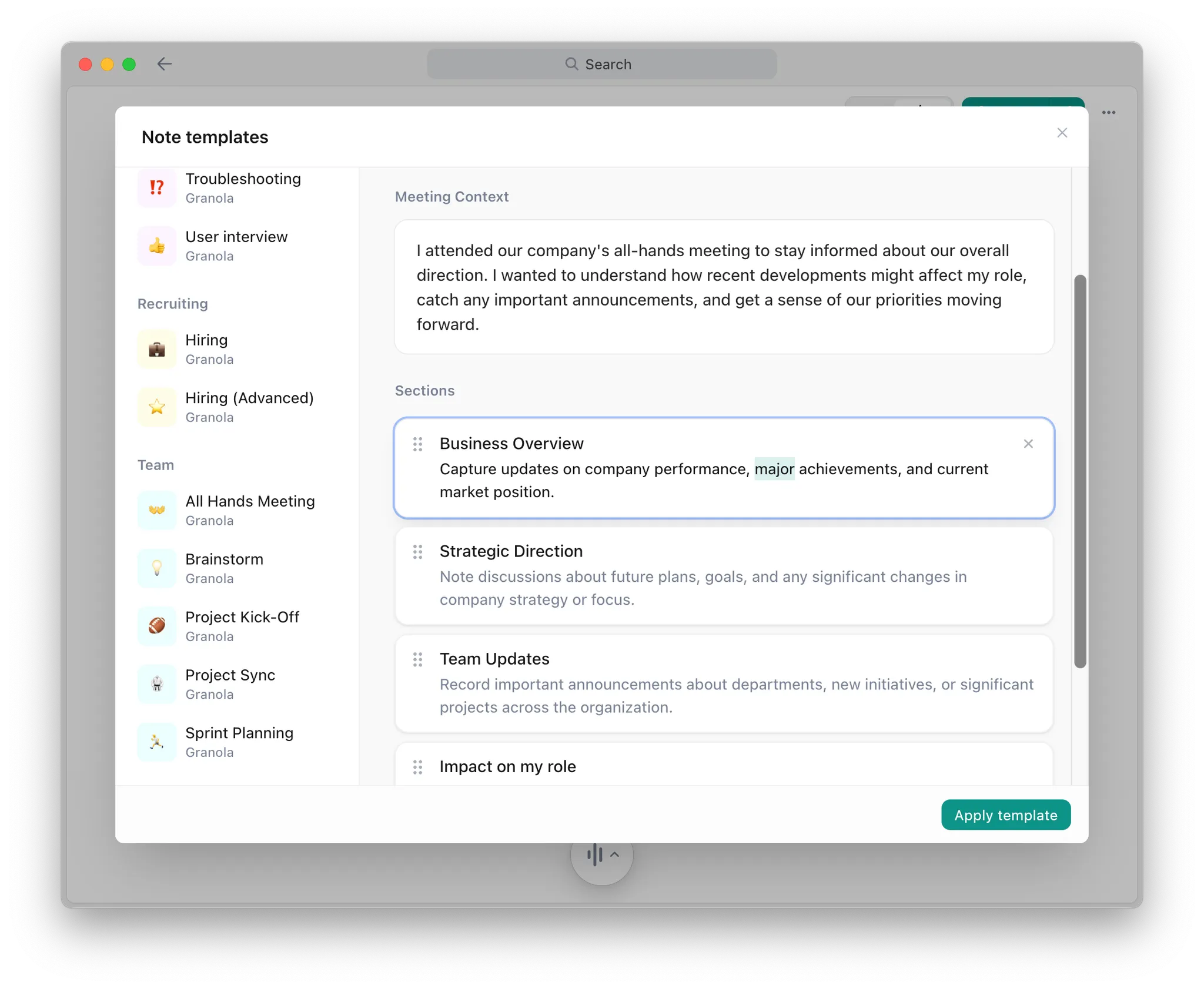
There are about 40 prebuilt Recipe templates available from some heavy hitters in the tech world as well. Those Recipes give you solid starting points for different meeting contexts. The coverage is legitimately good, and for most business users, you'll find something that works without building from scratch.
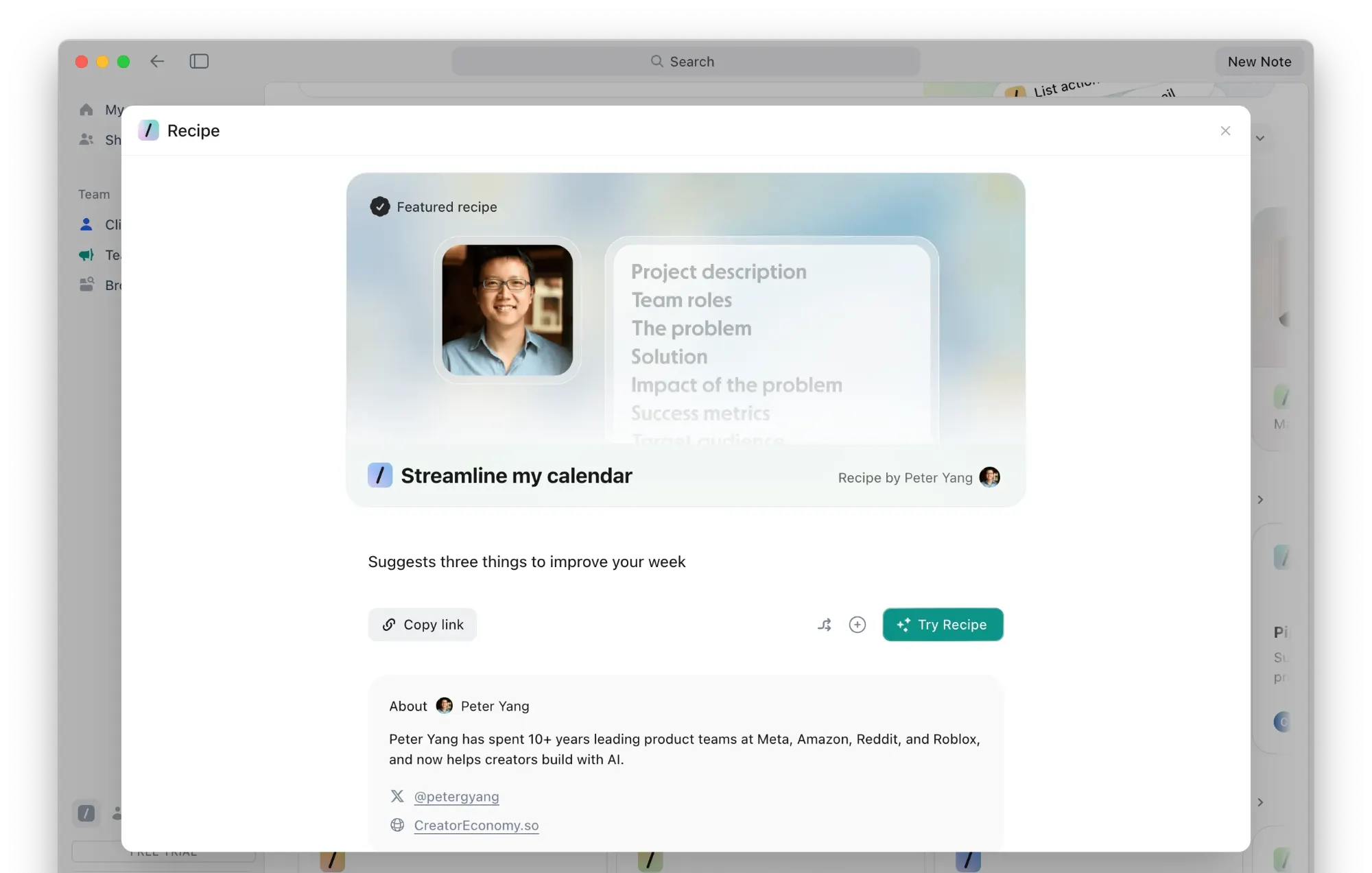
What I'm going to ding them on is that you don't really know where to create new templates or find additional ones beyond the obvious library. This was glossed over during the onboarding flow when it should have been highlighted as a key feature.
Also, Granola features both "Recipes" and "Templates" throughout the app, and I'm still not entirely sure if they're the same thing or if there's a meaningful difference. The lack of clarity here makes the feature harder to understand and use than it should be.
Template customization (5/5)
Creating new templates is as easy as editing the prebuilt ones to fit your use cases. From that screen, just edit the Meeting Context prompt or change the various sections of the note to better suit your needs. It's pretty slick.
You can also create a new template from scratch, but I honestly recommend building off one of the existing templates so you don't get lost in the weeds.
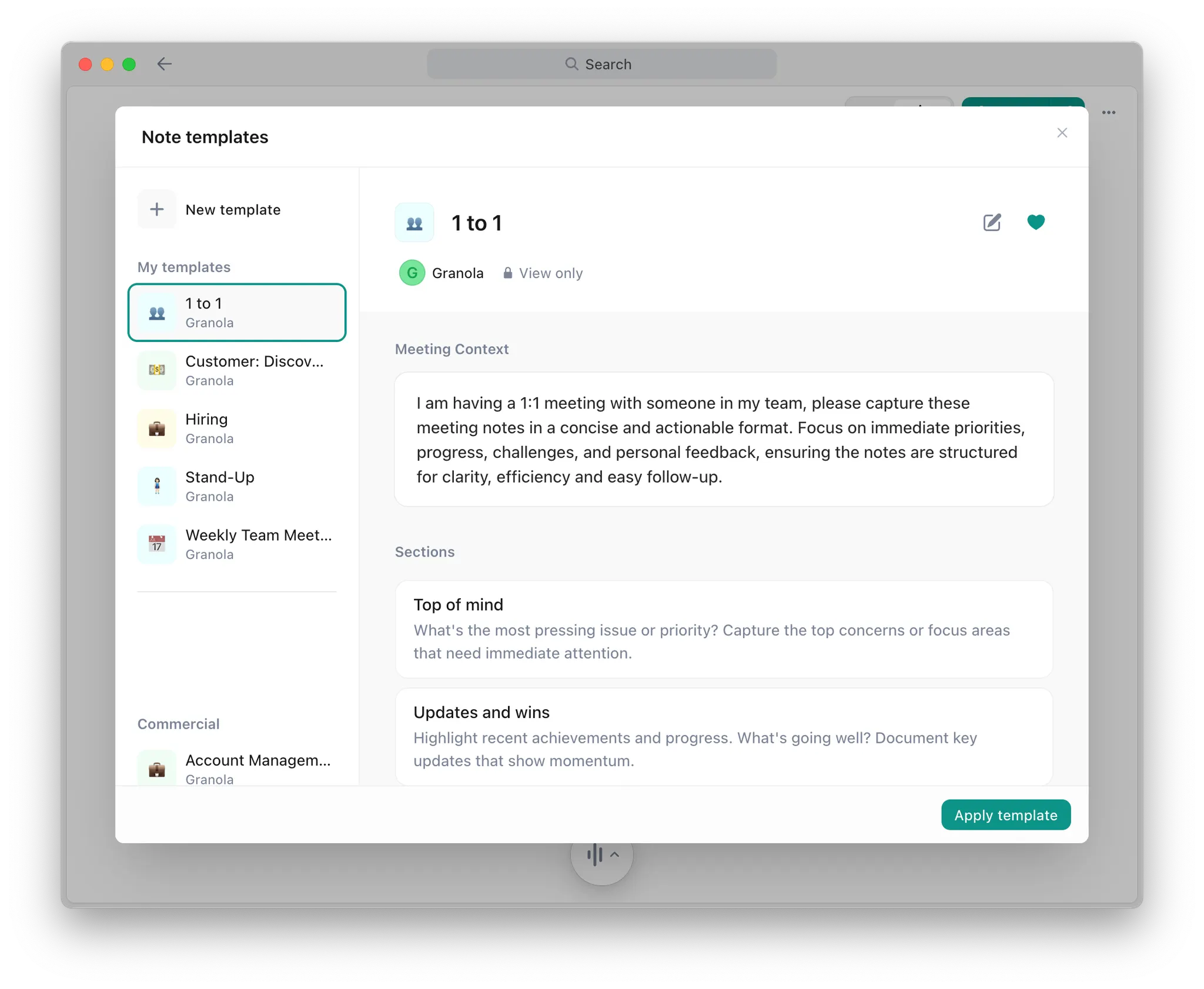
If you want to create a custom Recipe, it follows basically the same pattern. Click “Remix” to repurpose an existing build or create something new from scratch. If you decide to start from a blank screen, you just need a prompt to get started. Granola has a nice guide that walks you through the process, which is helpful if you've never built one before.
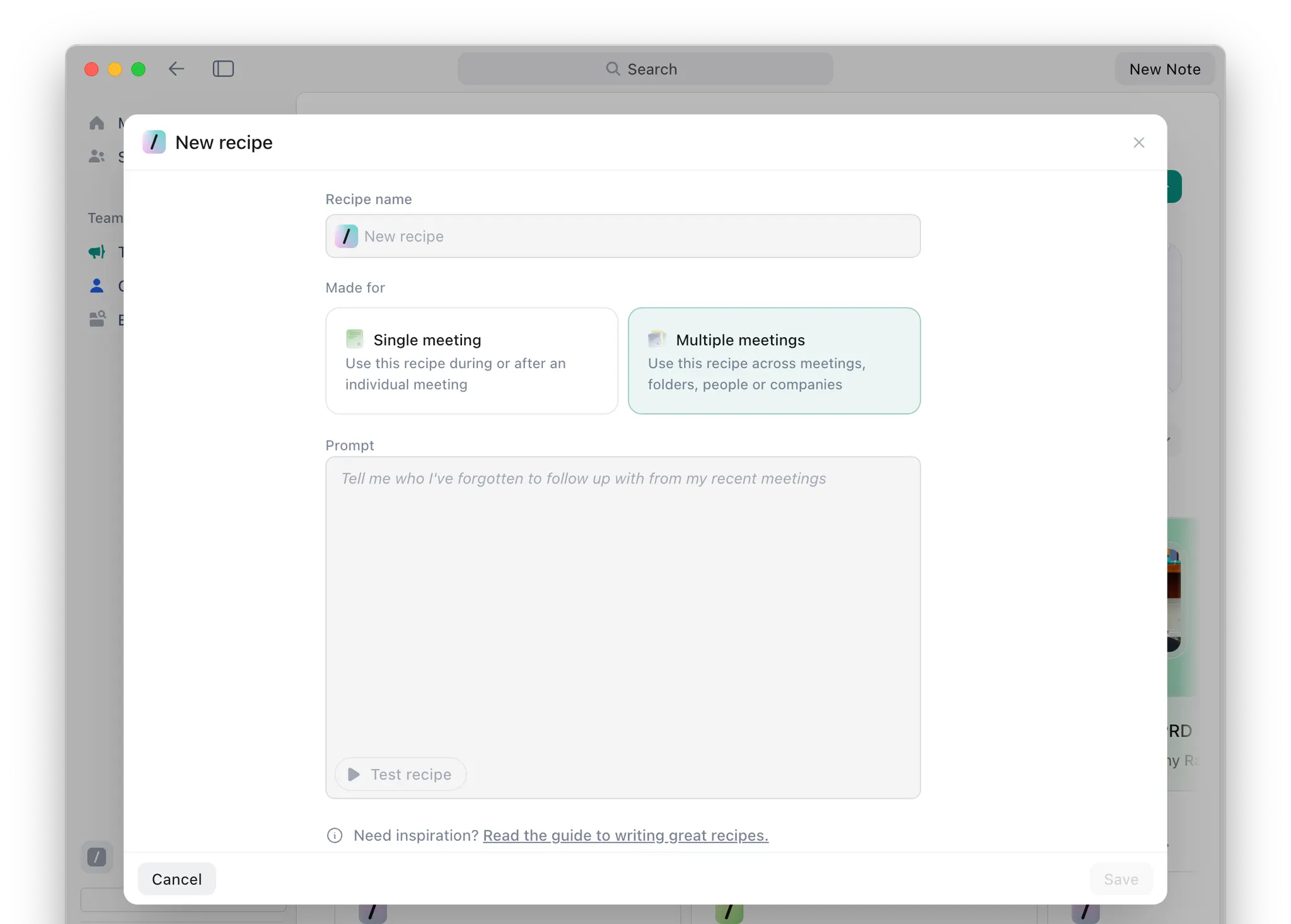
This gets a 5 out of 5 because of how easy it is to build from something that already exists instead of being forced to start from nothing. The flexibility is there if you need it, but the guardrails keep you from making a mess.
How I Would Improve Granola
Granola has the AI capability and underlying technology to be an excellent meeting tool. But across the board, it introduces unnecessary friction that will likely frustrate a lot of power users. Here's what needs to change:
1. Create action items and tasks:
The AI can already extract action items perfectly when you ask it to in the chat feature. So why do I have to ask? Every call should end with action items automatically pulled to the top of the note with checkboxes. Let me then assign them to specific teammates with due dates. Or better yet, build in native sync with tools like Asana, ClickUp, or Linear so they actually become tasks I can track. Instead of plain text I'll never look at again. This feels like table stakes for a business meeting tool in 2025, and Granola already has the underlying technology to do it.
2. Stop making me apply templates manually:
If I have the same standup every Monday at 10, Granola should learn this pattern and automatically apply the standup template without me clicking anything. Or detect keywords in meeting titles and participant lists to route the right template intelligently. If the AI can analyze an entire transcript and extract nuanced insights, it can definitely figure out what type of meeting just happened and format the output accordingly. Making me manually apply a template after every recurring meeting is friction that shouldn't exist.
3. Basic export functionality:
Add PDF, Markdown, and DOCX exports as baseline features. Like yesterday. This is basic functionality that every modern SaaS tool has, and the complete absence here feels either like a massive oversight or a deliberate attempt at tool lock-in. Right now, my only option is copying and pasting the text into a doc or building Zapier automations, which is absurd for something this fundamental.
4. Smarter native integrations:
The current native integrations feel like they were built to check boxes on your features page rather than solve real workflow problems. Slack should automatically post certain meeting types to specific channels based on who attended or what keywords appear in the title. And Notion should create actual Notion documents I can use in my databases and automations, not just rows locked in a database that links back to Granola. These aren't revolutionary ideas, just basic integration functionality working the way users expect.
Parting Words
Granola nails the fundamentals of meeting recording. The botless approach works exactly as promised, and the AI outputs are genuinely solid without being overwhelming. The chat feature turns your meeting archive into something you can actually interact with in a new way. It’s a big step forward from traditional note-taking tools that let notes disappear into the void.
But the deliberate limitations around sharing and integrations hold it back from being truly excellent. I think it’s pretty clear that Granola wants to keep your data in Granola. For a tool that handles critical business information, that's a dealbreaker for many teams that need meeting notes to flow seamlessly into their existing workflow.
At 66 out of 100, Granola is definitely worth trying if the botless recording appeals to you and you don't mind some manual overhead. Just know you're getting some great features with a lot of workflow friction, and decide whether that tradeoff makes sense for your team.
Never take meeting notes again
Record, transcribe and summarize your meetings with Fellow.
Get started with Fellow todayStart a free trial
%20(3).webp)
.webp)

.webp)